
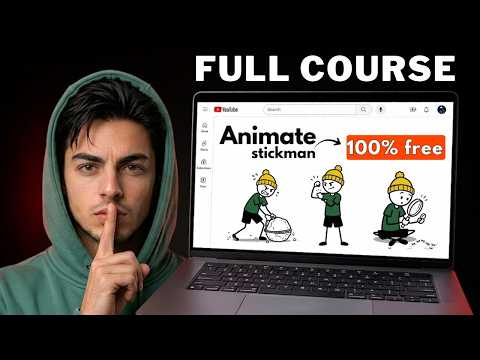
How I Create Stickman Thumbnails For YouTube (100% FREE)
After my Stickly-style animation tutorial, the top question was: how do I make the thumbnails? Fair question. Your thumbnail does more work than the video, because the best animation in the world gets no views if nobody stops scrolling. Here’s the full free process, plus the trick I use to check that my thumbnail beats competitors before I publish.
Step 1: Let Claude read your script
- Have your video script ready.
- Paste my ultimate thumbnail generator prompt into Claude and press Enter.
- When it asks “What’s the move?”, paste your whole script.
Claude reads the script, understands the video, and writes a custom image prompt plus short thumbnail text options.
Step 2: Generate the image
Paste the prompt into any free generator, like Gemini or Pippit. Not right? Ask Claude for more prompt options and try again. Download the winner.
Step 3: Build it in Canva
- In Canva, Create → search YouTube thumbnail for the right size.
- Upload or paste your image, right-click → Set image as background.
- Remove watermarks: select the image → eraser → Magic eraser, paint over it, then Erase.
Step 4: Text that makes people click
Successful stickman channels all use short, curiosity-driven text. Add a heading with the best option Claude gave you, make it yellow (it stands out on almost any background), use a bold, playful font (Comic Sans works well for stickman content), add an effect so it pops, then position and download.
Step 5: Test it against competitors with vidIQ
Install the free vidIQ Chrome extension. On the YouTube upload page, after adding your title and thumbnail:
- Click Preview thumbnail to see it as viewers will on the homepage.
- Go to Competition → Competitors and add the channel you’re up against (e.g. Stickly).
Now your thumbnail sits side by side with theirs. You can instantly see whether it stands out, and swap titles to compare. Happy? Save and publish.
📝 Your notes on this video
Saved on this device onlySome links in this post are affiliate links. They cost you nothing extra and help support the channel.
New to faceless YouTube?Start with my zero → monetized roadmapNiches, titles, hooks and the monetization rules, all in one place. →Keep watching



Get my master prompts free
Join the Saidox Faceless Vault: free prompts, checklists and workflows from every video, plus a community of faceless creators.
Join the free Vault →